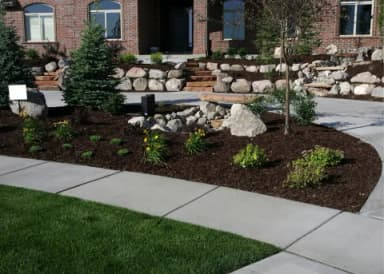
Front yardCM
Your landscaping companion.
One platform, from the first photo to the final install.


The property, the ideas, the price, the people.
Everything comes together here.
Photos, design directions, and the details behind the work.

Illustrative Job · Choose a concept to explore Design, or keep scrolling
Photo-based concepts. Real plants. Your finishing touches.
Aerial plans. Measured areas. A scope you can price.
Two perspectives on the work. Kept with the same Job.Illustrative product views
Use a property photo and a starting style to give the client something concrete to react to.
Swap a plant, open up a bed, and drag real plant images into place. AI can start the conversation. You make the decisions.
Map the planting beds, lawn conversion, and pathways. Keep the measurements with the same Job.
 SimplyScapes Labs
Workflow preview: bring site preparation, materials, and installation together in one estimate.
Workflow preview: turn an estimate into a proposal, with the agreement and deposit recorded against the same Job.
Workflow preview: keep changes and payment records with the original agreement. Payment processing is not connected.
Visual Designer
Explore AI edits, place real plants, and export a branded PDF from a property photo. Watch the SimplyScapes Visual Designer in action.
 ▶ Play the introduction
The hardest part of any landscaping project is picturing it before it exists, whether it's your own yard or the next client job you want to win.
The SimplyScapes Visual Designer makes that easy. It combines the power of generative AI with the precision of a drag-and-drop plant library.
Start with a photo of the property, upload it, hit Create, and you're on the canvas.
I always like to start designing with the AI tool. For example, with AI, I can remove overgrown shrubs or an unwanted tree.
The AI tool is also a great place to experiment with ideas. Add paths, hardscapes, water features, or plant combinations suitable for your area. The sky's the limit. Just save what you want.
You can even add labels to the plants and generate a top-down view by just asking.
Now, while the AI tool is amazing, sometimes I just want to take control and add plants and other landscaping elements by hand.
Do this by navigating to the plant library. Here you'll find thousands of real plants using actual photos, not renderings.
Drag a tree to the corner, drop shrubs along the foundation, layer in perennials. Every plant, every placement. It's totally your call.
Export the design as a branded PDF with your contact info, the full plant list, and a QR code back to the live design.
So, instead of describing what you want, you can show it with SimplyScapes. Now go and bring your vision to life.
Loading the survey…

Our mission
Across California, Arizona, Nevada, Utah, and beyond, the landscapes people love must do more with less. SimplyScapes helps professionals turn that pressure into places clients can picture, approve, and build.
Lake Mead, Nevada–Arizona · Photograph: Alex Demas / USGS
Start with the next property
Start with a property photo.
Give your next idea a place to grow.